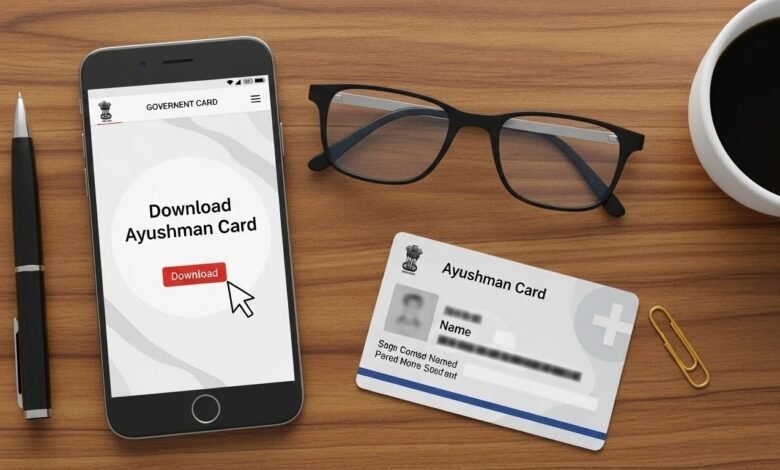
Many beneficiaries look for ayushman card download after their card has been generated, lost, or when they need a digital copy for hospital use. Downloading the Ayushman Card is a simple but very important step, as the digital card works exactly like the physical card. This detailed guide explains how to download the Ayushman Card using official methods, what details are required, common problems users face, and best practices to ensure smooth access during medical emergencies.
Overview of Ayushman Card Download Process
The Ayushman Card is issued under the government healthcare scheme Ayushman Bharat Pradhan Mantri Jan Arogya Yojana, also known as PMJAY. Once a beneficiary is approved and the card is generated, it remains available in digital form on official portals.
Downloading the card allows beneficiaries to keep a soft copy on their mobile phone or print it for future use. Hospitals accept both digital and printed versions of the card.
Why Downloading the Ayushman Card Is Important
Downloading the Ayushman Card is important because medical emergencies can happen at any time. In many cases, beneficiaries may not have their physical card with them, especially during sudden hospital visits.
A downloaded digital card ensures:
- Immediate access during emergencies
- Easy sharing with hospitals
- Backup if the physical card is lost
- Hassle-free verification
Keeping a digital copy reduces delays in treatment approval.
See also: Tips for Compassionate Senior Care at Home
Who Can Download the Ayushman Card
Only beneficiaries whose Ayushman Card has already been generated can download it. If the card is not generated yet, it must first be created through the official process.
You can download the card if:
- Your family is approved under PMJAY
- Your details are verified
- You have a registered mobile number
- Your PMJAY ID exists
If your card is inactive or not generated, downloading will not be possible.
Information Required for Ayushman Card Download
Before starting the download process, keep the required information ready. This helps avoid errors and delays.
Common details required include:
- Registered mobile number
- Aadhaar number or PMJAY ID
- OTP for verification
- Family identification details
Correct details ensure successful access to the card.
Official Methods to Download Ayushman Card
There are multiple official ways to download the Ayushman Card. The government provides both online and assisted methods so beneficiaries across India can access their cards easily.
The main methods include:
- Official Ayushman Bharat portal
- CSC (Common Service Centers)
- Hospital Ayushman Mitra desks
All these methods are free and government-approved.
Step-by-Step Guide to Download Ayushman Card Online
Step 1: Visit the Official Ayushman Portal
Open the official PMJAY beneficiary portal using a secure browser. Always ensure you are on a government website to avoid fake portals.
Step 2: Login Using Mobile Number
Enter the mobile number registered with your Ayushman Card. An OTP will be sent to your phone for verification.
OTP verification is mandatory to protect beneficiary data.
Step 3: Search for Your Ayushman Card
After login, search your card using one of the following:
- Aadhaar number
- PMJAY ID
- Family ID
If your card is active, your details will appear on the screen.
Step 4: Verify Beneficiary Details
Check your name, age, and family information carefully. Ensure that all details are correct before proceeding.
Incorrect information should be corrected through CSC support.
Step 5: Download the Ayushman Card
Once details are confirmed, click on the download option. The card will be downloaded as a PDF file.
You can save this file on your phone or computer and print it if needed.
How to Download Ayushman Card Through CSC
For beneficiaries who are not comfortable with online systems, CSC centers provide assisted services.
At a CSC:
- Provide Aadhaar or PMJAY ID
- Complete identity verification
- Request card download
The operator will download and print the card for you.
Downloading Ayushman Card from the Hospital Ayushman Desk
Many government and empaneled private hospitals have Ayushman Mitra desks. These desks help patients with card-related services.
If you need treatment and do not have your card:
- Visit the Ayushman desk
- Provide identification
- Request card download or verification
This service is especially useful during emergencies.
Digital Ayushman Card vs Physical Ayushman Card
The digital and physical Ayushman Cards are equally valid. Hospitals accept both forms without any issue.
Digital card benefits:
- Always accessible on the phone
- Cannot be lost easily
- Easy to share
Physical card benefits:
- Useful without phone access
- Simple to carry for some users
Having both is recommended.
What to Do If You Lose Your Ayushman Card
Losing the physical card does not mean losing benefits. The card remains active in the system.
In case of loss:
- Use ayushman card download to get a digital copy
- Print a new copy if required
- No need to reapply
Benefits remain unchanged.
Common Problems During Ayushman Card Download
Some users face issues while downloading the card. Common problems include:
- OTP not received
- Incorrect mobile number
- Aadhaar mismatch
- Card not found in system
Most issues are related to data mismatch and can be resolved easily.
How to Fix OTP-Related Issues
If OTP is not received:
- Check network connection
- Ensure correct mobile number
- Wait and resend OTP
- Visit CSC if the problem continues
OTP issues are usually temporary.
What If Your Ayushman Card Is Not Found
If the system shows “card not found,” it may mean:
- Card is not generated yet
- Data is incomplete
- Wrong search details used
In such cases, visit a CSC or Ayushman Mitra for assistance.
Downloading Ayushman Card for Family Members
The Ayushman Card covers the entire eligible family. Each member can download their individual card using the same family ID or PMJAY ID.
Family members can:
- Download separate cards
- Use them independently
- Access treatment individually
There is no restriction on family size.
Ayushman Card Download for Senior Citizens
Senior citizens often rely on family members for digital tasks. Family members can assist them in downloading the card.
Hospitals and CSC centers also provide special help for elderly beneficiaries.
Ayushman Card Download for Migrant Workers
Migrant workers can download their card from anywhere in India. The Ayushman Card is portable and works across states.
This makes it highly useful for people working away from their home state.
Security Tips While Downloading Ayushman Card
To stay safe:
- Use only official websites
- Never share OTP publicly
- Avoid agents asking for money
- Do not download from unknown links
The Ayushman Card download process is completely free.
Is There Any Fee for Downloading the Ayushman Card?
No. Downloading the Ayushman Card is 100% free. The government does not charge any fee for downloading or printing the card.
Any demand for payment should be treated as fraud.
Best Practices After Downloading the Ayushman Card
After downloading:
- Save the PDF securely
- Print at least one copy
- Keep a copy on your phone
- Share with trusted family members
This ensures quick access during emergencies.
How Hospitals Use the Downloaded Ayushman Card
Hospitals verify the card digitally using the PMJAY system. Once verified, treatment approval is processed without cash payment.
The downloaded card is fully valid for this process.
Importance of Keeping Card Details Updated
Outdated information can cause delays during hospital admission. If details change:
- Visit CSC for correction
- Update Aadhaar details
- Re-download the card
Updated data ensures smooth verification.
Frequently Asked Questions (FAQ)
Is downloaded Ayushman Card valid everywhere?
Yes, at all empaneled hospitals.
Can I download the card multiple times?
Yes, there is no limit.
Do I need the internet every time to use the card?
No, once downloaded, the offline copy works.
SEO Value of Ayushman Card Download Information
This topic addresses high-intent searches such as:
- How to download the Ayushman Card
- Ayushman card PDF download
- Lost Ayushman card recovery
Clear, accurate information helps users avoid scams and delays.
Final Thoughts
Downloading the Ayushman Card is a critical step for every eligible beneficiary. A digital copy ensures uninterrupted access to healthcare benefits during emergencies and routine treatments. By following official methods and keeping a secure copy through ayushman card download, families can stay prepared, protected, and confident when accessing medical care under the PMJAY scheme.